



Как выбрать рабочий стол для компьютера чтобы повысить эффективность
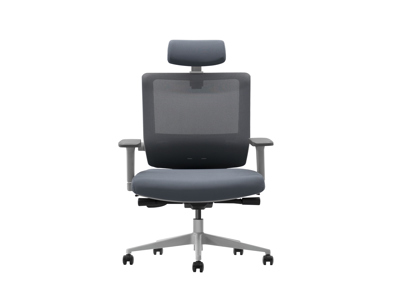
В современном мире, где все больше людей работают удаленно или проводят долгие часы за компьютером, выбор подходящего рабочего стола становится критически важным для поддержания продуктивности, здоровья и комфорта. Неправильно подобранный стол может привести к усталости, болям в спине и шее, снижению концентрации и, в конечном итоге, к падению эффективности работы. Напротив, хорошо продуманное рабочее место способно не только улучшить физическое самочувствие, но и стимулировать творчество, организованность и общую удовлетворенность трудовым процессом.
Цель этой статьи — предоставить всестороннее руководство по выбору компьютерного стола, которое поможет вам сделать осознанный и выгодный выбор. Мы рассмотрим ключевые аспекты, такие как эргономика, размеры, материалы, дополнительные функции и бюджет, а также дадим практические советы по организации пространства. К концу чтения вы будете вооружены знаниями, необходимыми для создания идеального рабочего уголка, который не только соответствует вашим потребностям, но и способствует долгосрочной эффективности.
1. Понимание важности эргономики
Эргономика — это наука о проектировании рабочих мест, инструментов и задач в соответствии с возможностями и ограничениями человеческого тела. В контексте выбора компьютерного стола, эргономика играет pivotal роль. Неэргономичная мебель может вызвать множество проблем, включая repetitive strain injuries (RSI), такие как тендинит или синдром запястного канала, а также хронические боли в спине, шее и плечах. Эти issues не только снижают продуктивность, но и могут потребовать медицинского вмешательства и длительного восстановления.
Чтобы избежать таких последствий, обратите внимание на регулируемость стола. Идеальный стол должен позволять настроить высоту так, чтобы ваши локти находились под углом 90 градусов, когда вы печатаете, а монитор — на уровне глаз или slightly ниже, чтобы избежать напряжения шеи. Если вы проводите за компьютером более 4 часов в день, consider investing in a standing desk или стол с возможностью переключения между сидячим и стоячим положением. Исследования показывают, что чередование поз может улучшить кровообращение, снизить риск ожирения и повысить mental alertness.
Кроме того, убедитесь, что под столом достаточно места для ног, чтобы вы могли свободно двигаться и менять положение. Стул также должен быть ergonomic, с поддержкой поясницы и регулируемой высотой. Помните, что стол и стул работают в tandem; неправильный выбор одного может нивелировать benefits другого. В конечном счете, эргономичный desk — это инвестиция в ваше здоровье, которая окупится increased productivity and reduced sick days.
2. Определение подходящего размера и формы
Размер и форма стола напрямую влияют на то, насколько комфортно и efficiently вы можете организовать свое рабочее пространство. Слишком маленький стол может привести к загромождению, в то время как слишком большой — занять valuable room space без необходимости. Начните с оценки available area в вашей комнате. Измерьте длину, ширину и высоту пространства, где планируете разместить стол, и оставьте достаточно места для movement вокруг него, ideally не менее 60-70 см с каждой стороны для easy access.
Стандартные размеры компьютерных столов варьируются: ширина обычно от 100 до 180 см, глубина — от 60 до 80 см, а высота — около 72-75 см для fixed desks или adjustable от 65 до 125 см для standing models. Если у вас multiple monitors, принтер, или другие peripherals, choose a desk с большей глубиной и width to accommodate everything without clutter. Форма стола также matters: rectangular desks are versatile and fit most spaces, while L-shaped or corner desks offer more surface area and are ideal for multi-tasking or shared workspaces.
Consider your workflow: если вы часто switch between tasks, a larger desk with zones for different activities (e.g., writing, computing) can enhance efficiency. Additionally, think about storage needs; some desks come with built-in drawers or shelves, which can help keep essentials organized and within reach, reducing time spent searching for items. Ultimately, the right size and shape should balance functionality with the spatial constraints of your environment, promoting a tidy and productive setup.
3. Выбор материалов и durability
Материал, из которого изготовлен стол, affects not only its aesthetics but also its durability, weight capacity, and maintenance requirements. Common materials include wood, metal, glass, and engineered products like MDF or particleboard. Solid wood desks, such as oak or walnut, are durable and offer a classic, warm look, but they can be expensive and heavy. They are ideal for long-term use and can withstand daily wear and tear, making them a good investment for those seeking longevity.
Engineered wood products, like MDF with laminate finishes, are more affordable and lightweight, often mimicking the appearance of real wood. However, they may be less resistant to moisture and scratches, so they require careful handling. Metal desks, typically made from steel or aluminum, are sturdy and modern, offering excellent support for heavy equipment like multiple monitors or CPUs. They are easy to clean but can feel cold and industrial, which might not suit all decor styles.
Glass desks provide a sleek, contemporary look and can make a small space feel more open, but they are fragile and prone to fingerprints and scratches. When choosing a material, consider your lifestyle: if you have children or pets, opt for something scratch-resistant and easy to clean. Also, check the weight capacity of the desk to ensure it can hold your computer, peripherals, and any additional items without sagging or damage. A durable desk will save you money in the long run by reducing the need for replacements and maintaining a professional appearance.
4. Учет дополнительных функций и организации
Modern computer desks often come with extra features designed to enhance organization and efficiency. Cable management systems, such as built-in clips, channels, or holes, can help keep wires tidy and prevent tangling, which not only looks neater but also reduces the risk of accidents and makes cleaning easier. Some desks include integrated power strips or USB ports, allowing you to charge devices conveniently without cluttering the surface with adapters.
Other useful features might involve adjustable keyboard trays, which promote better ergonomics by keeping the keyboard at the correct height, or monitor arms that can be clamped to the desk for flexible positioning. If storage is a priority, look for desks with drawers, shelves, or compartments to store documents, stationery, and other essentials, keeping your workspace organized and minimizing distractions.
Think about your specific needs: if you're a gamer, a desk with dedicated spaces for gaming gear might be beneficial; if you're a creative professional, consider a desk with a large, smooth surface for drawing or drafting. Additionally, mobility can be an asset; desks with wheels allow you to easily reposition the setup for different tasks or to clean behind it. By prioritizing features that align with your workflow, you can create a customized environment that boosts productivity and reduces stress.
5. Бюджет и где купить
Установление бюджета — crucial step in choosing a computer desk. Prices can range from as low as 5000 рублей for basic models to over 50000 рублей for high-end, ergonomic designs. Determine how much you're willing to spend based on your needs and the desk's expected lifespan. Remember that investing in a quality desk can pay off through improved health and efficiency, so it might be worth allocating more funds for features like adjustability or durability.
To find the best deal, shop around at various retailers. Online stores like Ozon, Wildberries, or Яндекс.Маркет offer a wide selection and often have reviews from other customers, which can provide insights into real-world performance. Physical stores like IKEA, Hoff, or local furniture shops allow you to see and test the desk in person, ensuring it meets your comfort and size requirements.
Consider second-hand options from platforms like Avito or Юла, where you can find quality desks at a fraction of the cost, but inspect them carefully for damage. Look for sales or discounts, especially during holiday seasons, to save money. Ultimately, balance cost with quality; a cheaper desk might seem appealing, but if it lacks essential features or breaks quickly, it could end up costing more in replacements and lost productivity. Set a realistic budget and stick to it while prioritizing key aspects like ergonomics and size.
6. Практические советы по настройке и использованию
Once you've chosen the perfect desk, proper setup and usage are essential to maximizing its benefits. Start by assembling the desk according to the manufacturer's instructions, ensuring all parts are secure to prevent wobbling or instability. Position the desk in a well-lit area, preferably with natural light to reduce eye strain, and avoid placing it directly under air vents or in high-traffic zones to minimize distractions.
Organize your workspace by keeping frequently used items within easy reach and using organizers for cables and supplies. Adjust the desk height to maintain good posture: your feet should be flat on the floor, knees at a 90-degree angle, and screen at eye level. Take regular breaks to stand, stretch, or walk around to prevent fatigue and promote circulation.
Incorporate personal touches like plants or photos to make the space inviting, which can boost mood and creativity. Regularly clean and maintain the desk to prolong its life; wipe down surfaces with appropriate cleaners and avoid placing hot or wet items directly on it. By following these tips, you'll create an efficient and enjoyable work environment that supports long-term productivity and well-being.
Заключение
Выбор компьютерного стола — это не просто matter of aesthetics; it's a decision that impacts your health, comfort, and overall efficiency. By focusing on ergonomics, size, materials, features, and budget, you can select a desk that meets your unique needs and enhances your work experience. Remember that the ideal desk is one that supports your body, organizes your tools, and inspires you to do your best work. Take the time to research and test options, and don't hesitate to invest in quality—it's an investment in yourself and your future productivity. With the right desk, you'll not only work smarter but also feel better doing it.
